



Common Problems SurveyHeart Solves for Healthcare
The everyday headache on the left. The simple fix on the right.
What Healthcare Create with SurveyHeart
Start with one of these or build your own from scratch.
Start with a Free Template
Choose a ready-made template, edit the questions and share it in minutes.



Why Healthcare Choose SurveyHeart
Mobile app, QR code sharing, WhatsApp delivery and simple exports. Built for how healthcare actually work.
Patients fill on any phone, no app or account needed
Patients and visitors open your form link in their browser and fill it straight away. No downloads, no sign-in, no friction.
QR codes for reception, waiting rooms and notices
Every form gets a QR code. Print it and place it at your reception desk, waiting area or notice board. Visitors scan and fill on their own phone.
Send to patients over WhatsApp in one tap
Share your form directly through WhatsApp. Patients receive a link they can open and fill without installing anything or creating an account.
Responses organised and ready to export
View auto-generated charts for each question and browse individual submissions. Download all responses as CSV, Excel and PDF to keep admin records.
How it Works
From building your form to having your data. Four steps.
Create
Choose a template or build from scratch. Add your questions in the web or mobile app in a few minutes.
Share
Send by WhatsApp, display a QR code at reception or add the link to your website or social profiles.
Collect
Patients and visitors fill the form on any device. No account needed to respond.
Export
View response charts, browse submissions and download data as CSV, Excel and PDF for your records.
Features that Matter for Healthcare
Everything you need. Nothing you do not.
QR code sharing
Every form gets a QR code you can print or display on screen. Place it at reception or in the waiting room so patients can scan and fill without any help.
WhatsApp and link sharing
Share your form by WhatsApp, SMS, email or a plain link. Patients open it in their browser with no account or app required.
Response charts and summary
Each question gets an automatic chart. Browse individual responses, filter by date and search by name. Useful for spotting patterns in feedback.
Export to CSV, Excel and PDF
Download all submissions any time as CSV, Excel and PDF. Useful for admin records, team reviews or sharing response data with your manager.
Conditional logic (paid)
Show or hide questions based on earlier answers. Useful for routing patients to the right department or asking follow-up questions only when relevant.
Mobile app for Android and iOS
Build forms, view responses and get notified when a new submission arrives, all from your phone. No laptop needed.
Quick Facts for Healthcare
Clinics, wellness centres and healthcare offices that need a simple, free way to collect appointment requests, patient feedback, visitor feedback and service enquiries online.
- Appointment request form
- Patient feedback survey
- Visitor feedback form
- Service enquiry form
- Staff availability form
- General contact form for clinics
All responses can be exported as CSV, Excel and PDF from the responses section.
Nothing. Patients and visitors open the form link or scan a QR code and fill it in any browser with no account required.
When you want scored health education quizzes or knowledge checks, use Quizzory at quizzory.in instead.
- SurveyHeart is for non-clinical admin and feedback forms only. It is not a HIPAA-compliant or medical-records system. Do not collect sensitive medical, diagnostic or treatment information through it.
- An appointment request form collects a patient's preferred date, time and reason for the visit. It does not book, confirm or schedule the appointment. Your team reviews each request and confirms manually.
- Patients and visitors do not need a SurveyHeart account to fill your form.
- Export formats are CSV, Excel and PDF only. Direct sync to spreadsheet apps or practice management systems is not available.
- Need health education quizzes with scored results? Use Quizzory at quizzory.in.
How Healthcare Use it in Practice
Real examples from everyday situations.
Appointment requests at a family clinic
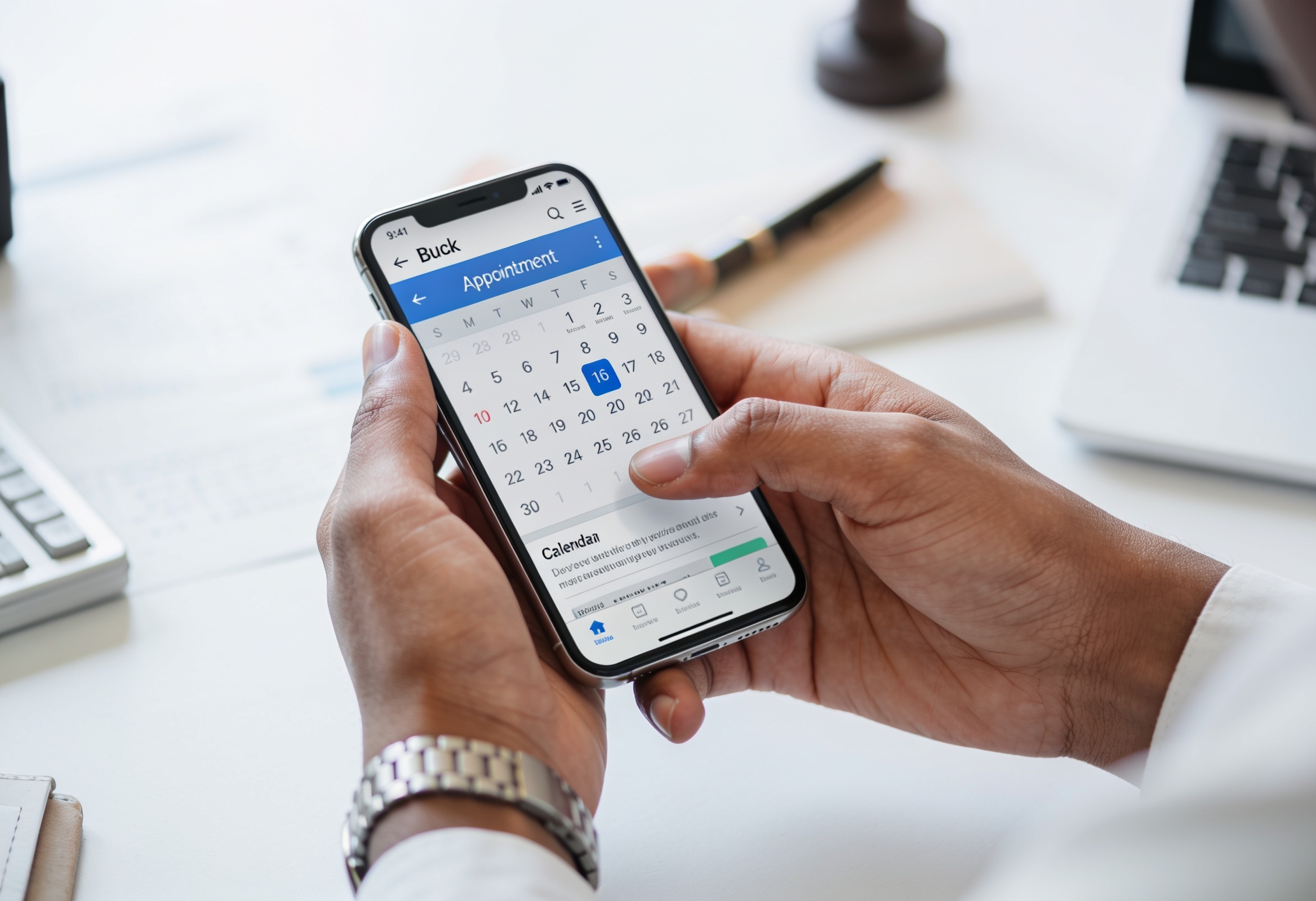
A small clinic adds an appointment request form link to its WhatsApp Business profile and website. Patients fill in their name, contact number, preferred date and a brief reason for the visit. The front-desk team reviews each request the next morning and calls patients to confirm. The form collects the request; the clinic confirms the appointment manually.
Post-visit feedback at a wellness centre
A wellness centre places a printed QR code card on the front desk. After each session, the receptionist asks clients to scan and share quick feedback. The centre owner checks the summary chart weekly and exports responses as a PDF to share in team meetings.
Service enquiries for a physiotherapy office
A physiotherapy practice shares a service enquiry form on its Instagram bio and Google Business profile. People interested in treatment fill in what they need, their availability and how they heard about the practice. The admin team reviews these each day and follows up by phone. This replaces scattered DMs and missed calls.
Visitor feedback in a hospital outpatient unit
A hospital outpatient department places QR code stands near the exit. Visitors can share feedback about wait times, cleanliness and staff helpfulness. The admin team exports responses as Excel each week and reviews the data in their quality check meetings.
SurveyHeart for Healthcare: What You Need to Know
SurveyHeart is a free form and survey builder that clinics, wellness centres and healthcare offices use for everyday admin and feedback needs. Creating a form takes a few minutes. Once published, you share it as a QR code that patients scan with any phone camera, or through WhatsApp as a link patients open without installing anything or creating an account. Appointment request forms let patients submit their preferred date, time and reason for the visit. Staff review each request and confirm by phone or message. The form captures the request; it does not book or schedule anything automatically. Patient feedback surveys go out after a visit by QR code or WhatsApp link. Responses come in instantly and are organised in one view. You can see charts for each question, browse individual submissions and export everything as CSV, Excel and PDF for admin records. Visitor feedback forms in waiting rooms and service enquiry forms on your website help you capture input that would otherwise be missed. The SurveyHeart mobile app for Android and iOS means you can check responses, get notified on new submissions and manage your forms from your phone. For health education quizzes with scored results, use Quizzory at quizzory.in. SurveyHeart is for non-clinical admin and feedback forms only. It is not a HIPAA-compliant or medical-records system. Do not collect sensitive medical, diagnostic or treatment information through it. The free plan gives you unlimited form responses, 100 templates and all core sharing features with no time limit.
Frequently Asked Questions
How do I create a healthcare appointment request form?
Sign up free on SurveyHeart, choose the appointment request template or build from scratch, and add fields for patient name, contact number, preferred date and time, and reason for the visit. Share the form link on your website, WhatsApp or as a QR code at reception. When a patient submits it, your team reviews the request and confirms the appointment manually. The form does not book or schedule anything on its own.
Can patients fill out a form without creating an account?
Yes. Patients and visitors open the form link in their browser or scan the QR code and fill it directly. They do not need to create a SurveyHeart account or sign in.
Can clinics collect patient feedback online?
Yes. Create a short patient experience survey and share it by QR code at checkout, by WhatsApp, or as a link on your website. Patients fill it on any device. Responses appear in your SurveyHeart dashboard and can be exported as CSV, Excel and PDF.
What non-clinical forms can healthcare offices use?
Common non-clinical uses include appointment request forms, patient feedback surveys, visitor feedback forms, service enquiry forms, staff availability forms and general contact forms. SurveyHeart is designed for admin and feedback purposes only, not for collecting medical records, diagnoses or clinical data.
Can healthcare form responses be exported?
Yes. From the responses section you can export all submissions as CSV, Excel and PDF at any time.
Is SurveyHeart HIPAA-compliant or suitable for storing medical records?
No. SurveyHeart is a general-purpose form and survey tool for non-clinical admin and feedback use. It is not HIPAA-compliant and is not designed for storing sensitive medical information, patient diagnoses or treatment records. Do not collect that type of data through it.
Can I share a form by QR code at my reception desk?
Yes. Every SurveyHeart form comes with a QR code you can download and print. Place it at your reception desk, in the waiting room or on any notice. Patients scan with their phone camera and the form opens instantly.
Is SurveyHeart free for clinics and wellness centres?
Yes. SurveyHeart is free with no time limit. You can create forms, share them and collect unlimited responses on the free plan. Paid plans (from Rs 800 per month) add features like conditional logic, custom thank-you pages and redirect after submission.
Start Creating Forms Today
Free to use. Unlimited responses. No account needed for respondents.